Scan a favorite toy
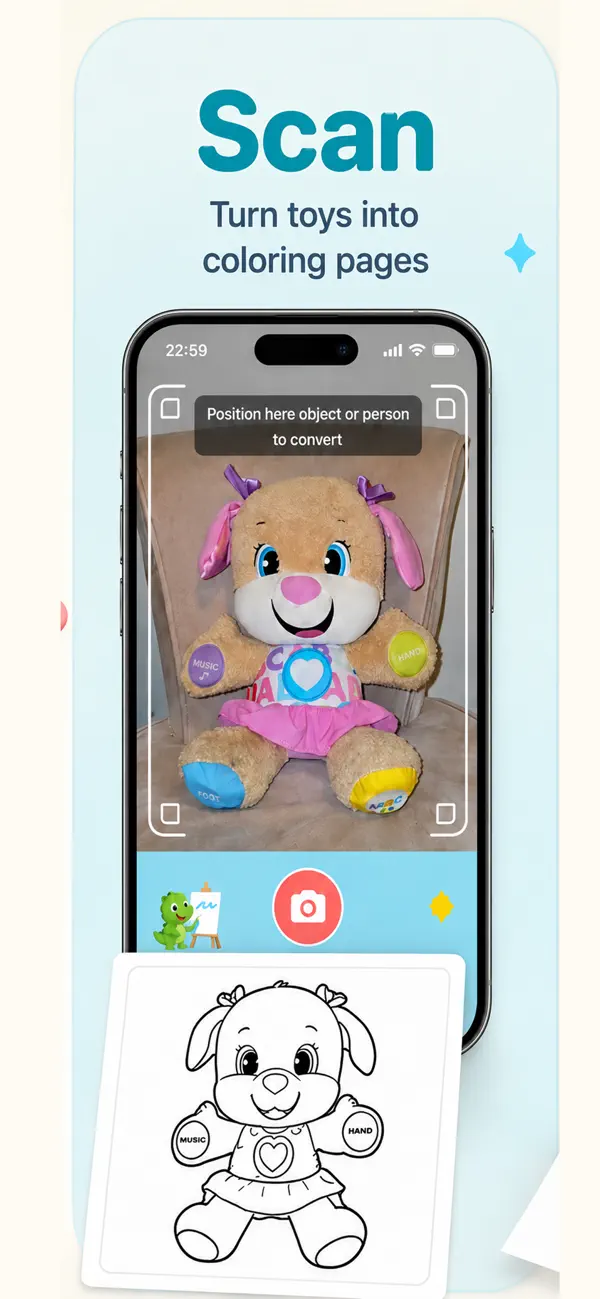
Use the camera to capture a toy, stuffed animal, or object and turn it into a custom coloring page.
Turn an idea into a coloring page with words or voice—or use the camera to scan a favorite toy, stuffed animal, or object. Color it in Ask2Color, then print or share it directly from the app.
Free to download · In-app purchases · Ages 4+ · Requires iOS/iPadOS 16.2+
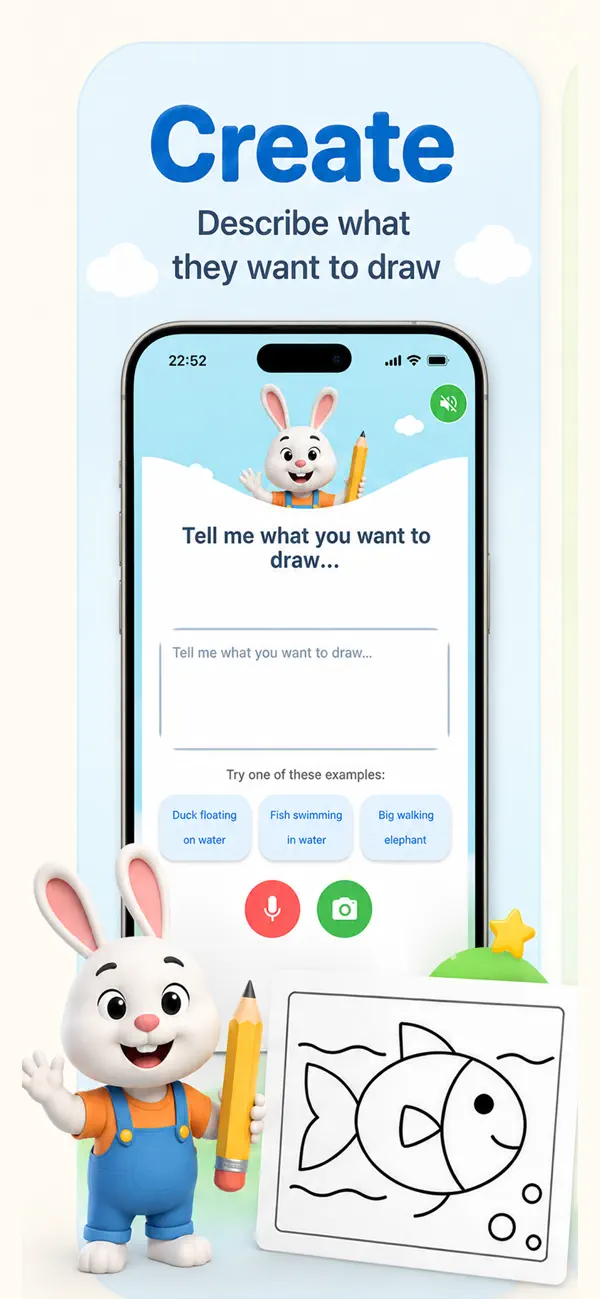
Ask2Color combines custom creation, camera scanning, coloring tools, and print/share options in one creative flow.
Use the camera to capture a toy, stuffed animal, or object and turn it into a custom coloring page.
Type or speak what your child wants to color and create a black-and-white sketch.
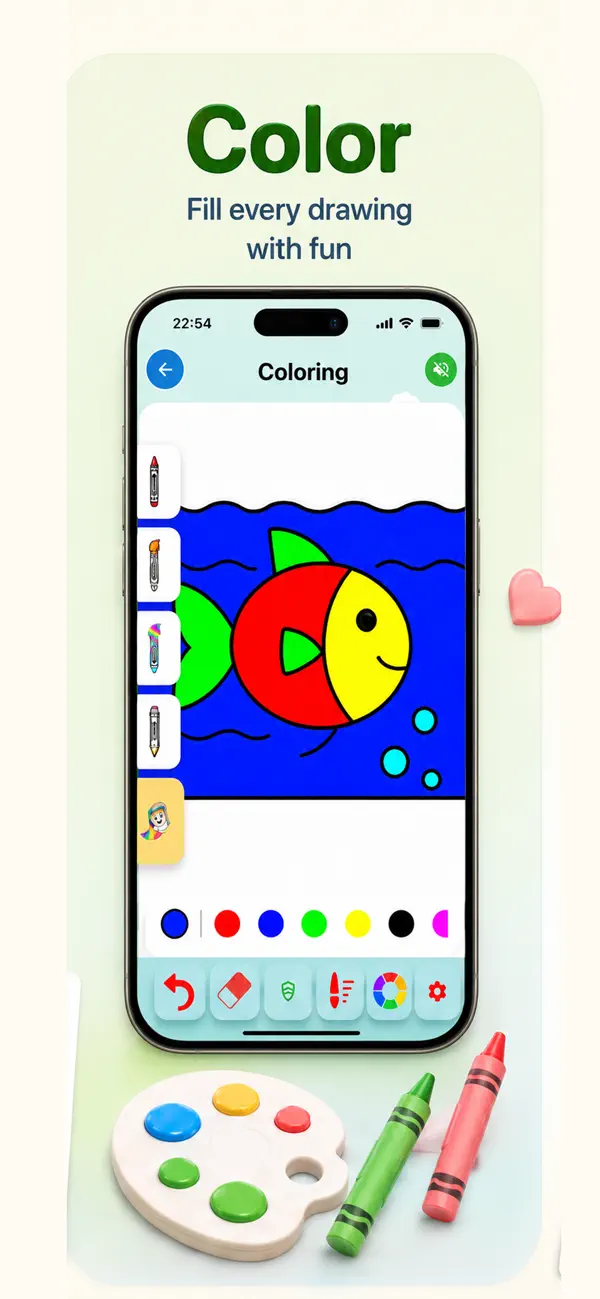
Use coloring tools, undo, and zoom to bring the new page to life.
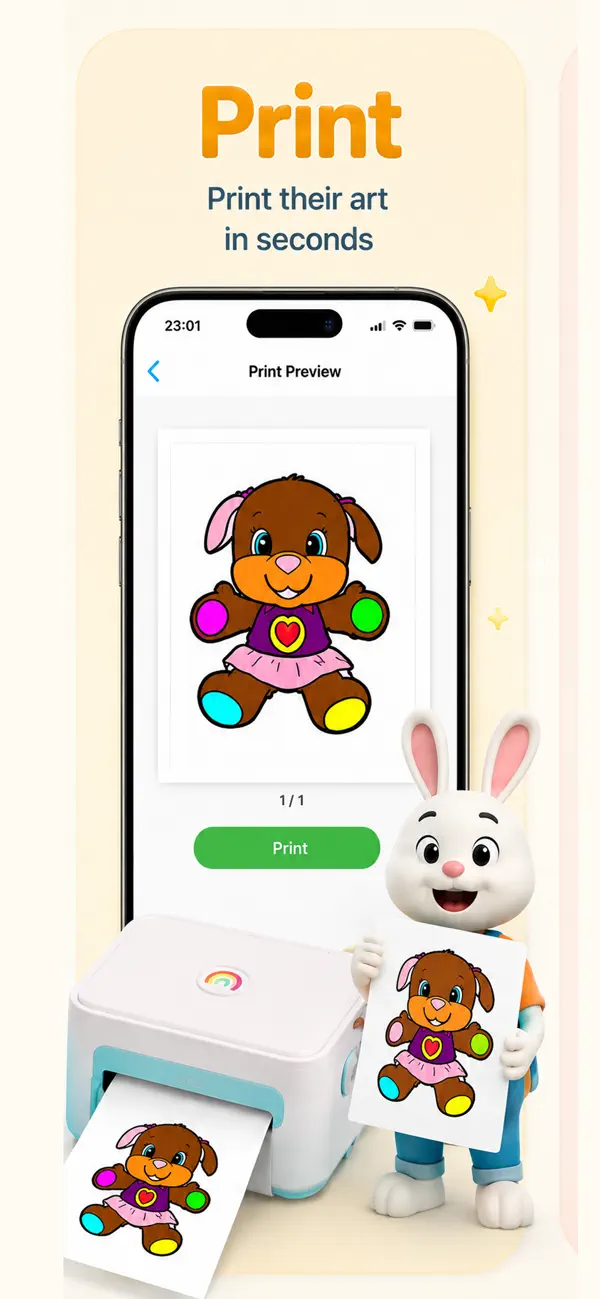
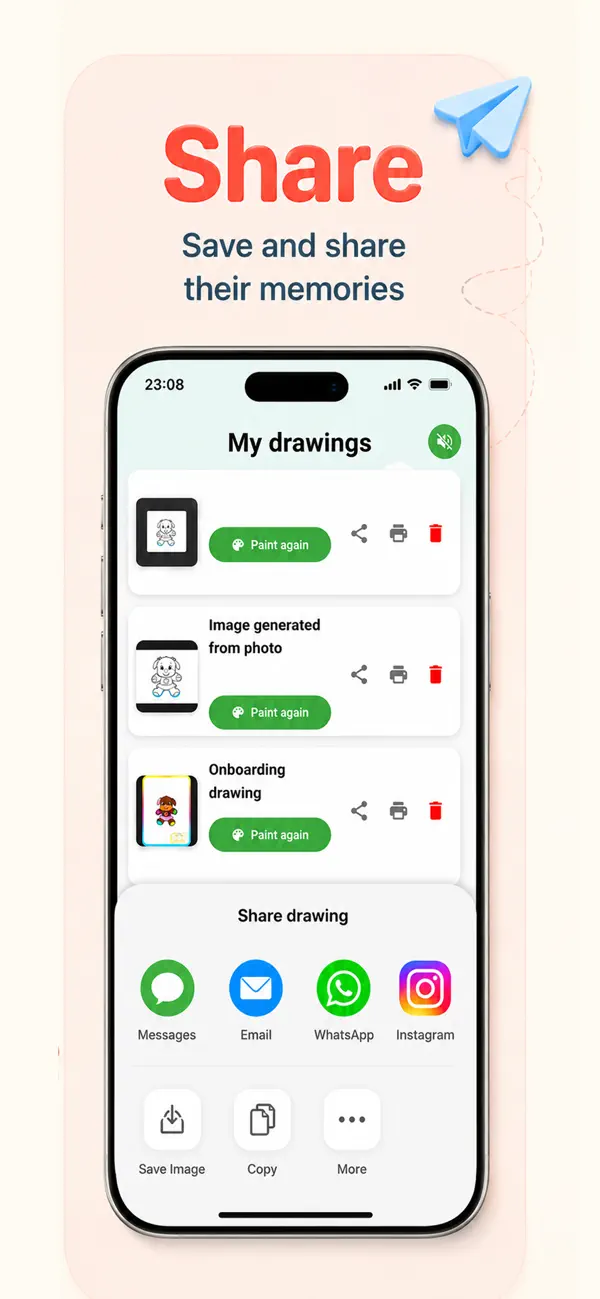
Keep the creation in the app, share it with family, or print it from a compatible device.
Does your child have a favorite dinosaur, doll, car, action figure, or plush friend? Open Ask2Color’s camera, frame the object, and scan it. The app converts the photo into a coloring-page outline ready to color.
See the full Ask2Color flow: create or scan, color, save, print, and share.
Choose a toy, stuffed animal, or object your child would love to color.
Frame the object clearly and capture it in Ask2Color.
Use the in-app coloring tools, undo, and zoom on the generated outline.
Keep the drawing in the app, share it with family, or print it from a compatible device.
No toy nearby? Children can also create a page by typing or speaking an idea.
Drawing for kids - Ask2Color is free to download for iPhone and iPad. Use the camera to scan a favorite object, color the generated page in the app, then share or print it. The current US listing requires iOS or iPadOS 16.2 or later, is rated 4+, and offers optional Premium Weekly ($3.99) and Premium Yearly ($44.99) in-app purchases.
Download on the App StoreScan a toy or stuffed animal, then color, print, or share the result.
GuideTurn a specific idea into a coloring activity.
GuideWhat to look for before trying one together.
GuideCompatibility, camera features, controls, and creative tools.
Yes. Use the camera to scan a favorite toy, stuffed animal, or object. Ask2Color converts it into a page that can be colored directly in the app. Learn more.
Choose the camera option, place the toy clearly in the frame, take the photo, and let Ask2Color create the coloring-page outline. Learn more.
Yes. A child can type or speak an idea instead of using the camera, then color the generated black-and-white sketch. Learn more.
Yes. Color it directly in Ask2Color, share it, or print it when your device has a compatible print setup. Learn more.
Scan it with Ask2Color, color it together, then print or share the finished creation.
Get Ask2Color